
You can easily integrate OptiMonk with your CoreCommerce store by following the instructions described below. The step-by-step guide is going to introduce you to the actions to take in order to implement OptiMonk on your e-commerce website successfully. You’ll be able to set it up in no time for your e-commerce store and then get started with creating and optimizing your OptiMonk campaigns.
Here's how to integrate your OptiMonk account on your CoreCommerce site.
Log in to your CoreCommerce Admin dashboard.
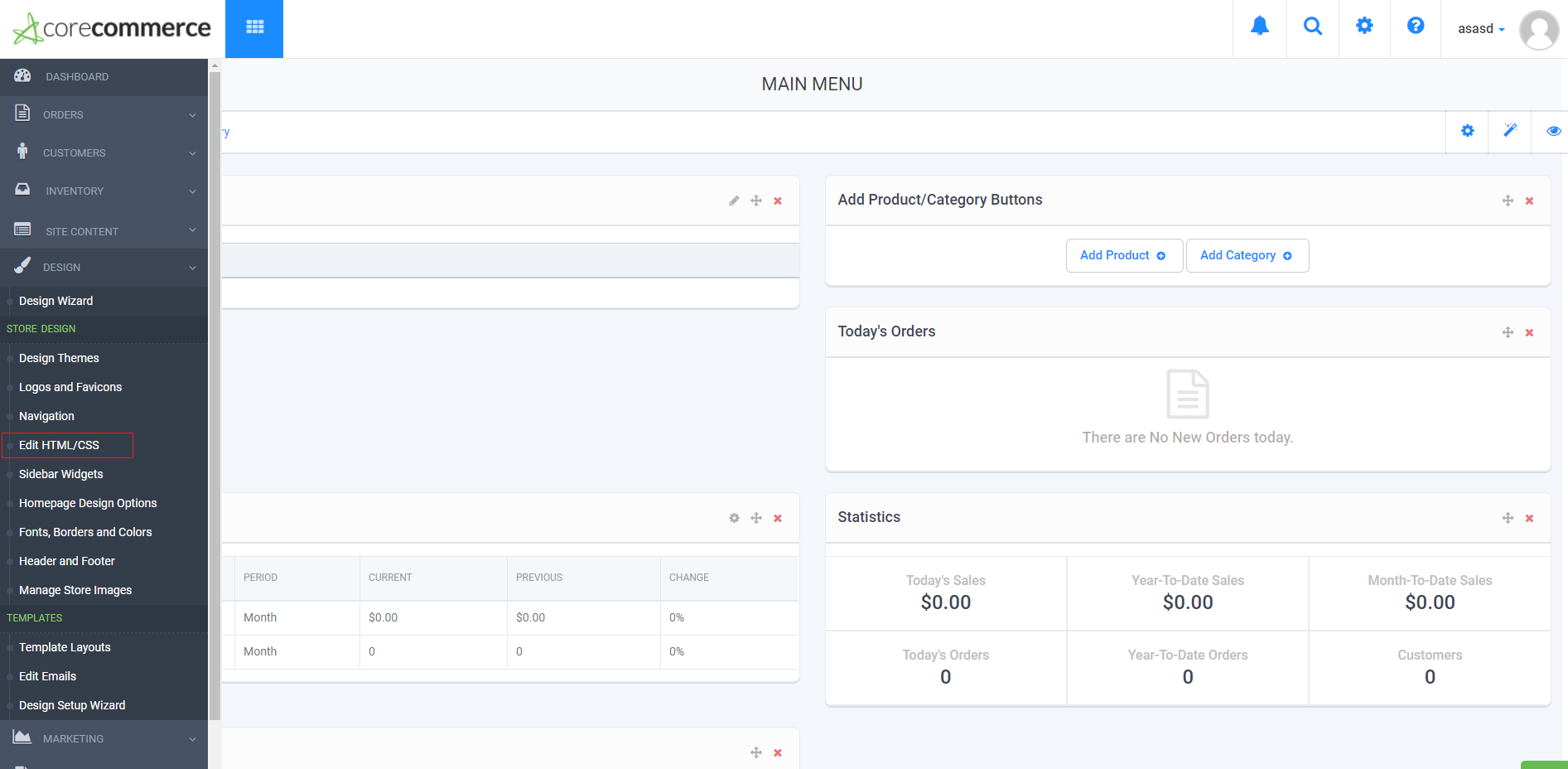
Go to the Design -> Edit HTML/CSS page
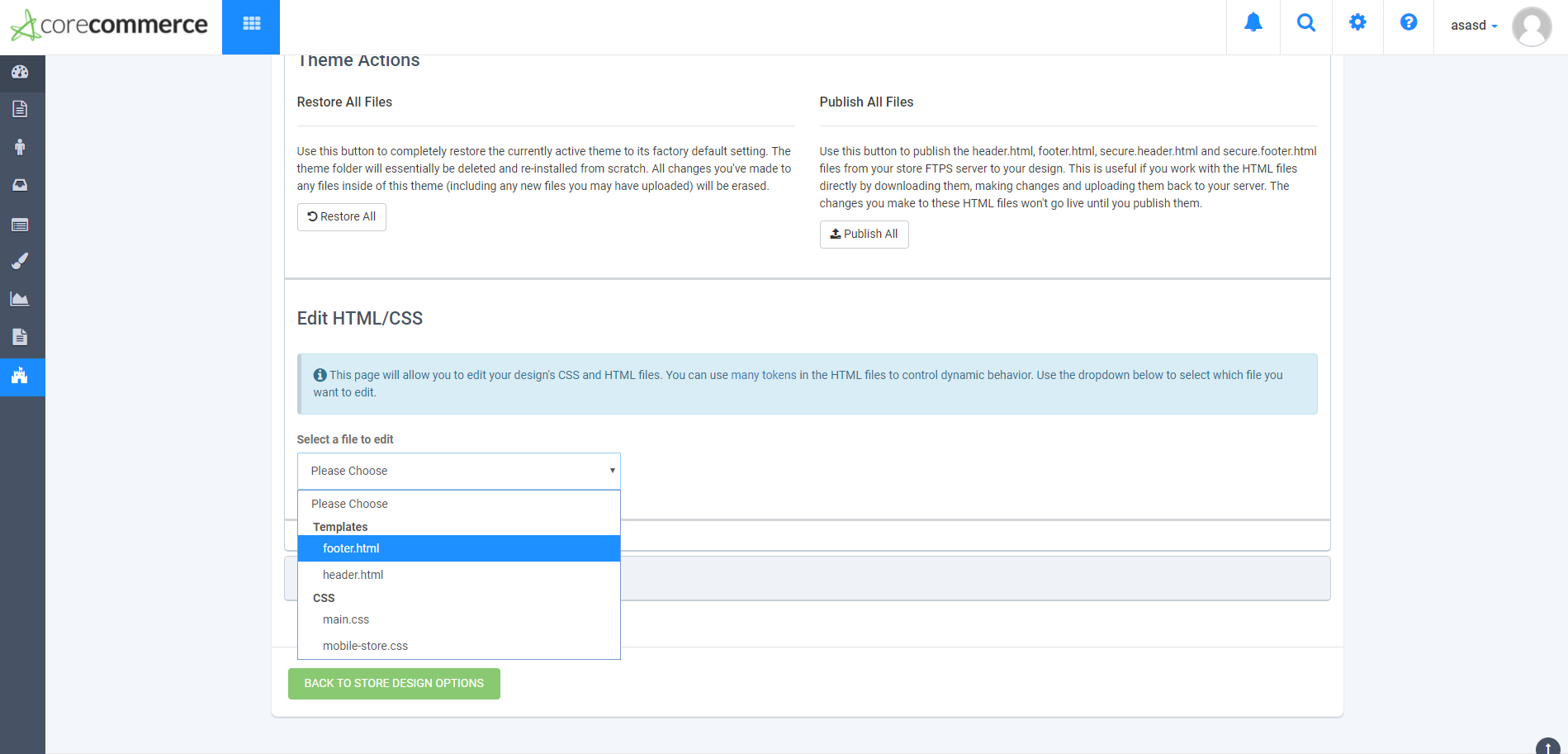
Select the footer.html
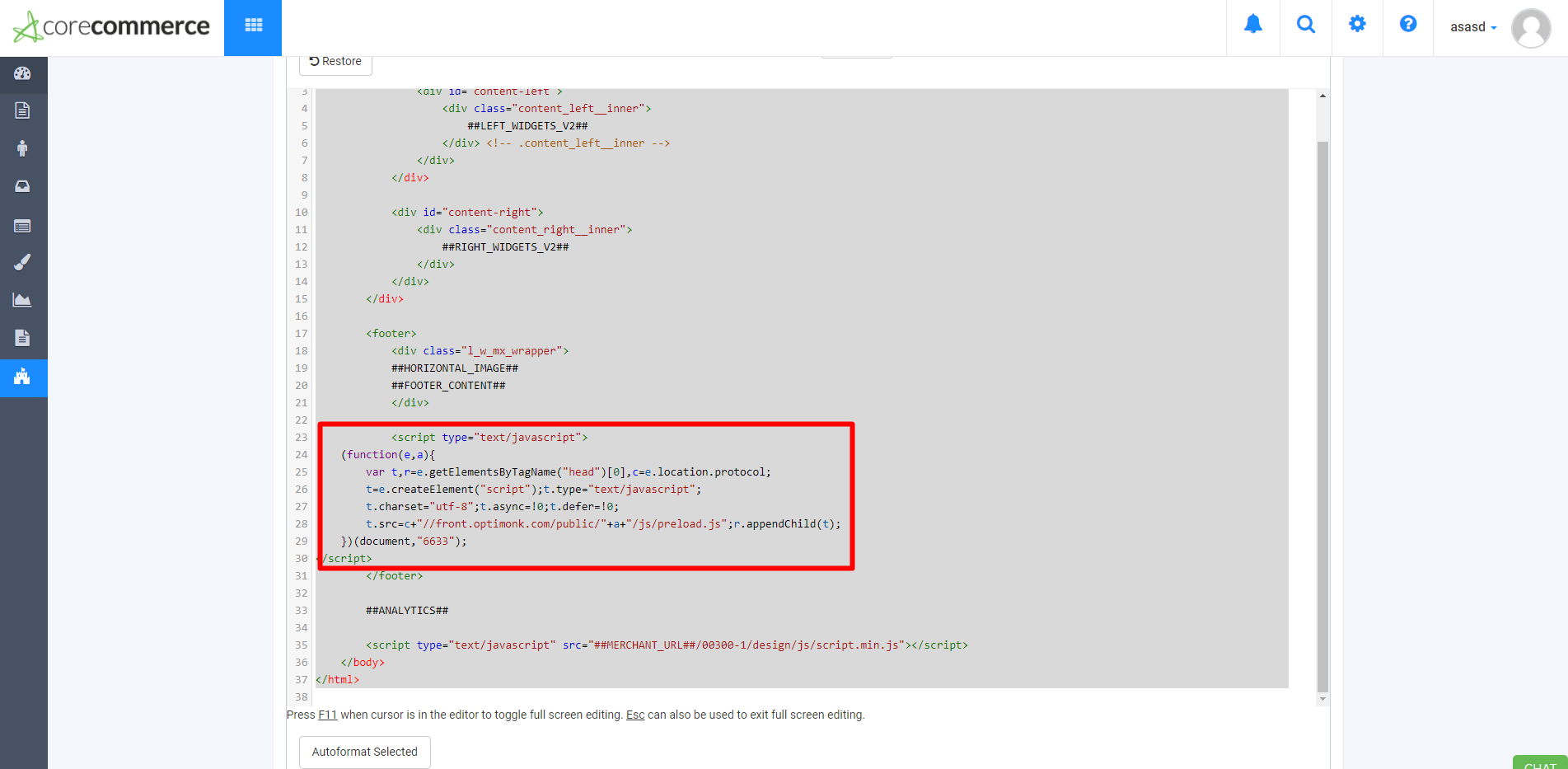
Insert the OptiMonk JavaScript code into the file between the <footer> </footer> tags.
Congratulations, you're all set! Please note that if you would like to use cart segmentation with CoreCommerce, then you have to develop it. More information here.